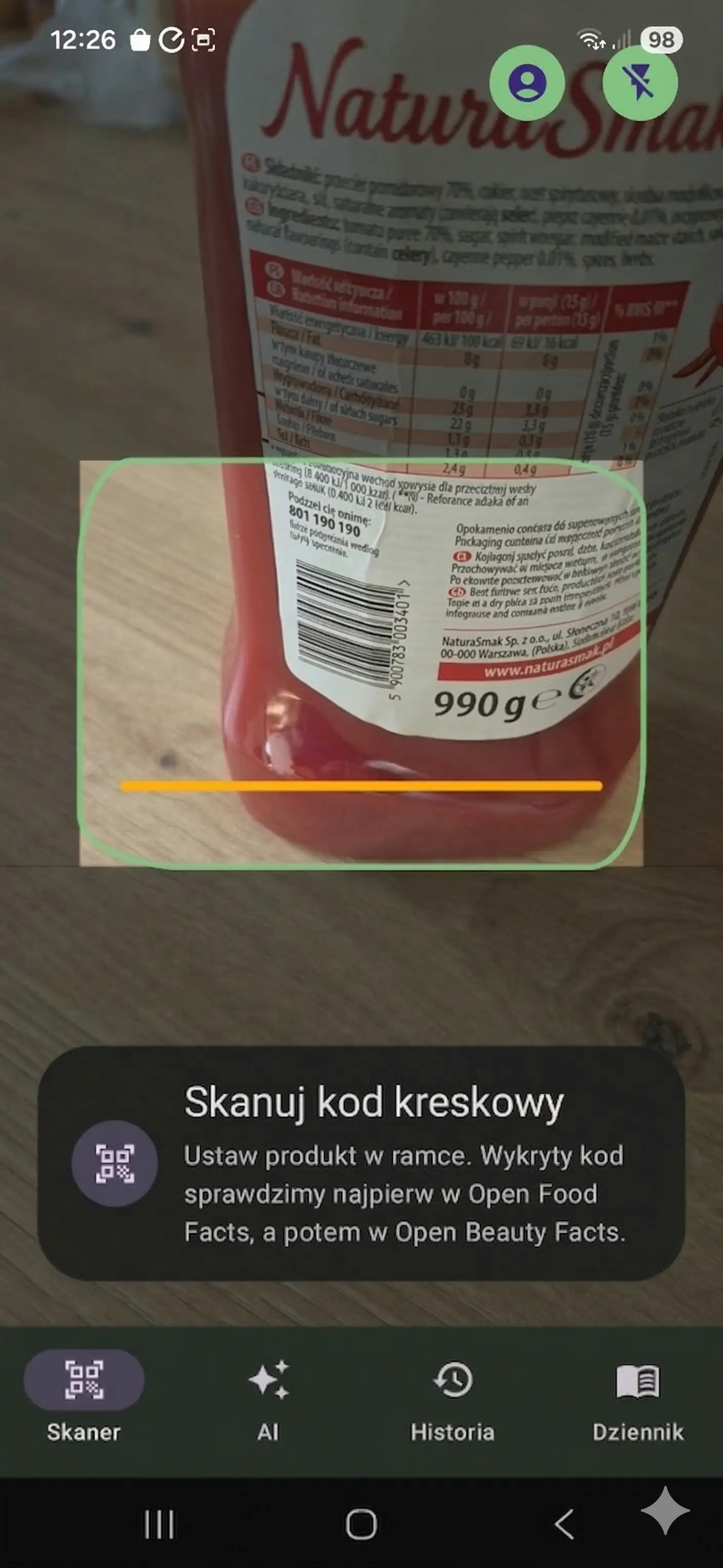
Why barcode scanning is so convenient
When you are shopping, you do not want to type product names or dig through long labels. A good scanner gets you from camera to useful information in seconds.
What a good scan flow looks like
1. Open the camera
Point it at the barcode without typing anything manually.
2. Get the result
See ingredients, nutrition facts, and key details almost immediately.
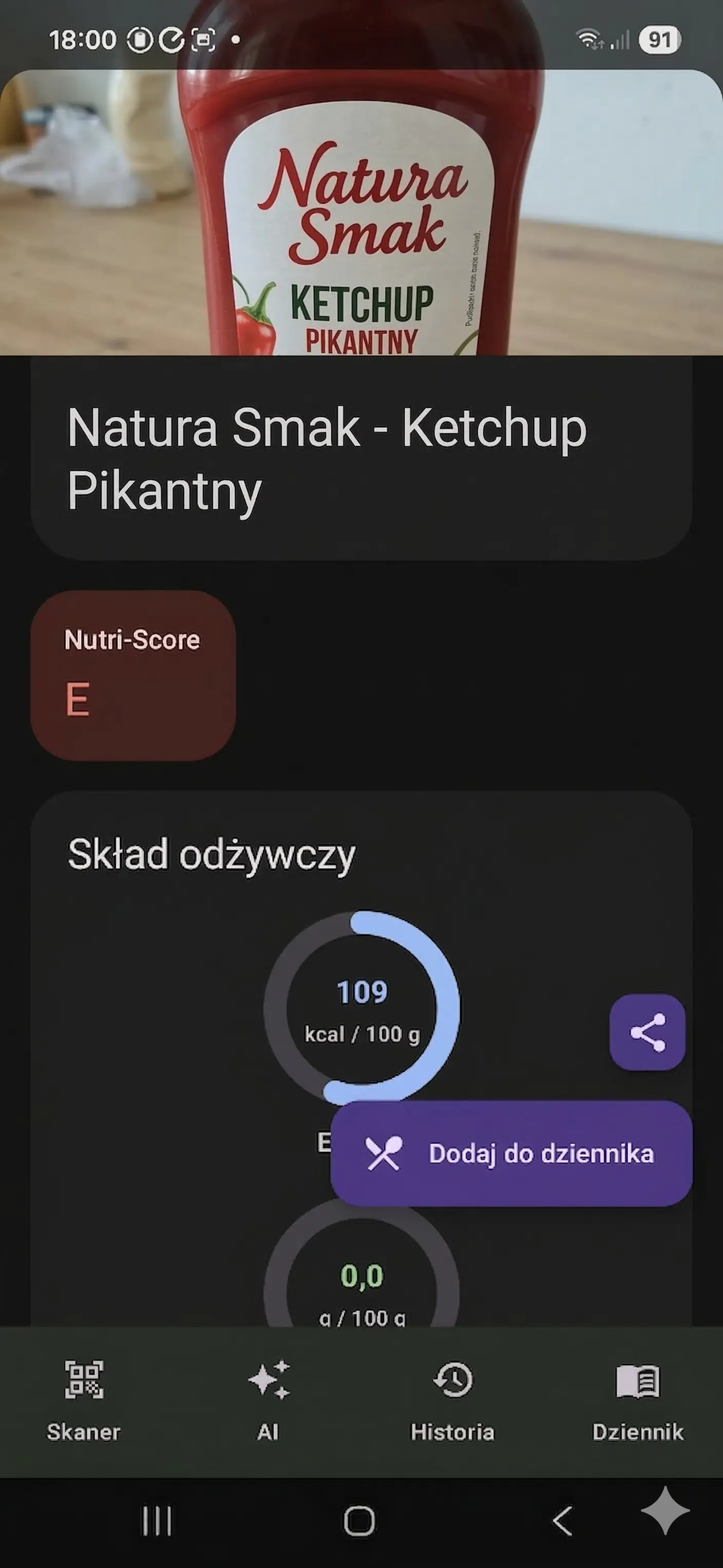
What you can check after the scan
- Ingredients and key product details.
- Nutrition facts you can compare quickly.
- Products you may want to save to your diary or revisit in history.
When this app is most useful
It helps most during everyday grocery shopping, when comparing similar products in the same category, and when you want to stay consistent with your own nutrition priorities. It is a convenient way to check a product without breaking your shopping flow.
Scanning privacy
Standard barcode scanning uses the camera locally and does not store photos on our server. That is the flow described in this guide.
Only photos that you deliberately add separately in a missing-product submission can reach our server. Standard AI meal-analysis photos are not stored on our server either.
Important safety note
Information shown after scanning or analysis, including the Oko na sklad product rating, ultra-processing markers, ingredient data, allergen data, additive data, ingredients-to-watch data, dietary-profile matches, nutrition values, and AI results, is assistive only. It may be incomplete, outdated, or incorrect due to source-data issues, missing product data, recipe changes, OCR errors, parsing errors, AI errors, or moderation errors.
The absence of a warning, a positive marker, or a higher rating is not proof that a product or meal is safe or suitable for you. Always verify the current label, manufacturer information, or a verified recipe, especially for allergies, intolerances, or diet-related health conditions.
FAQ
Does scanning work quickly in-store?
Yes, that is exactly what it is built for. The whole process is designed to keep the number of steps to a minimum.
Can I come back to a product later?
Yes. History and diary help you revisit previous choices without searching for the product again.
Is it just a scanner, or something more?
It is more than a scanner. After the scan, you get practical information that helps you evaluate the product faster.