What additive monitoring is
Additive monitoring is a feature that automatically searches the ingredient list of a scanned product for known food additives — substances identified by E-numbers. Each detected additive is checked against a built-in database and classified by risk level.
The database is bilingual (Polish and English), works fully offline, and does not require an internet connection during ingredient analysis.
What you see on screen
Colour-coded risk chips
Each detected additive appears as a chip colour-coded by risk: green (safe), amber (caution), or red (avoid). Tap a chip to see the substance name and description.
Clean result — nothing found
If the app does not detect any monitored additives, you see information that no known substances from the current database were detected in the parsed ingredient list.
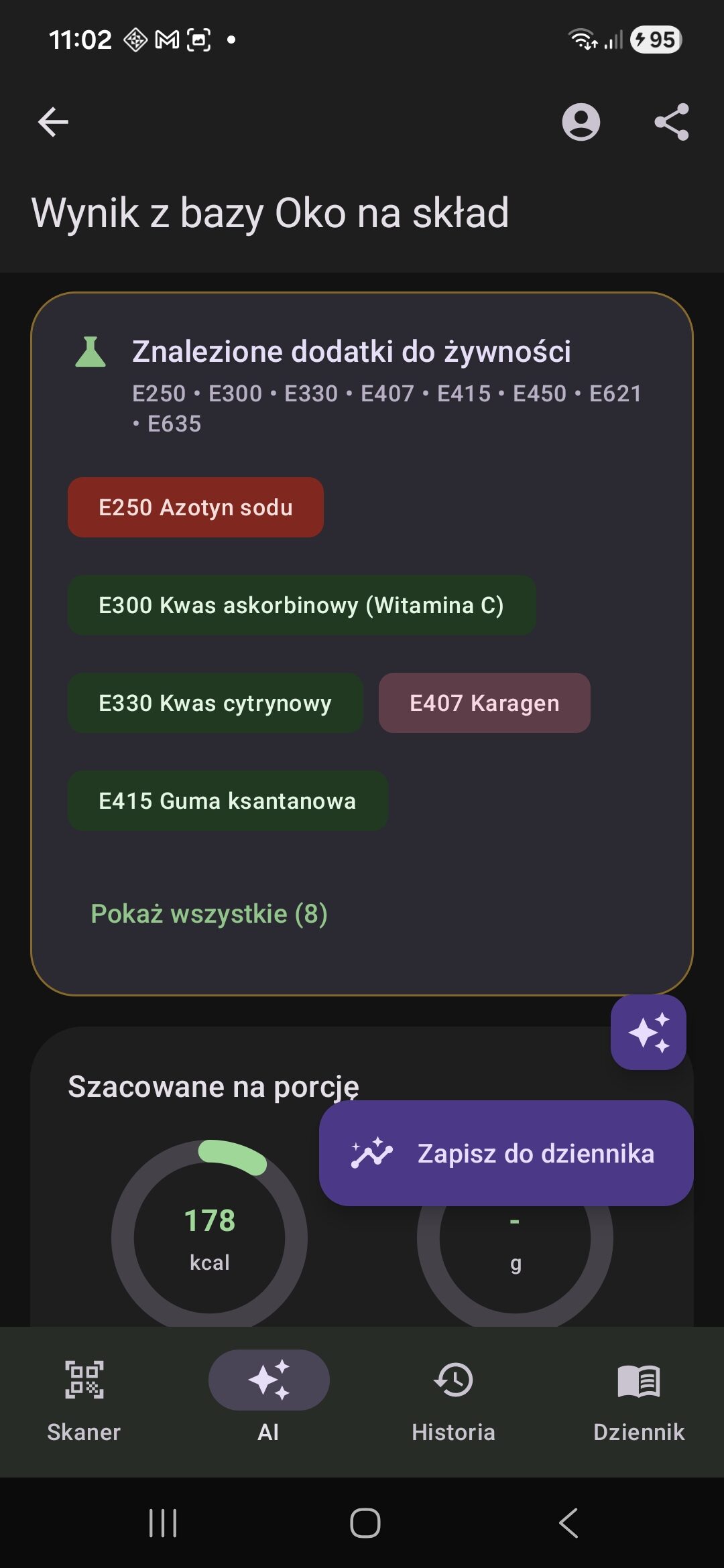
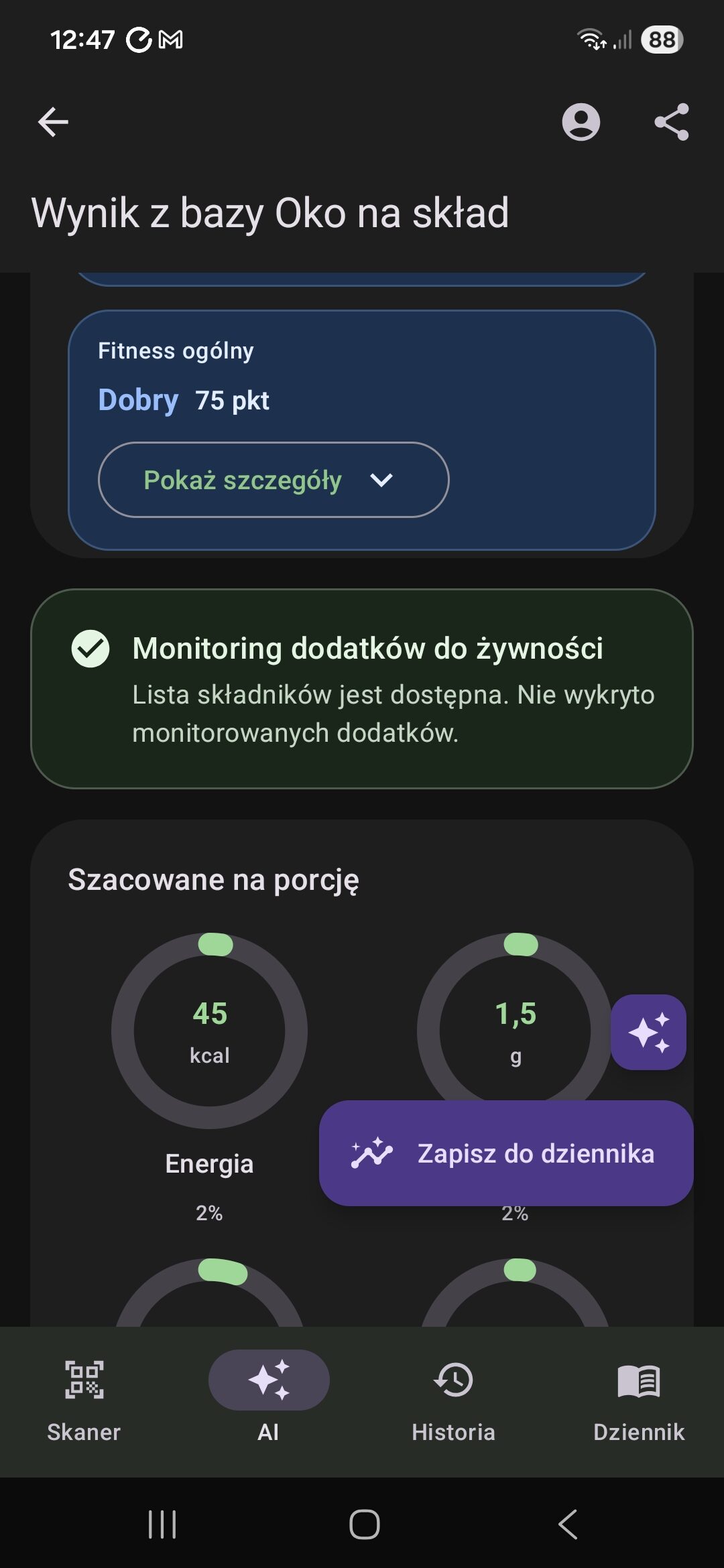
Four risk levels
- Safe — substance widely considered safe at typical consumption levels.
- Caution — permitted substance, but worth limiting or watching if you have food sensitivities.
- Avoid — substance with notable health concerns or significant controversy in scientific research.
- Banned — substance prohibited or withdrawn in some countries; included in the database for informational purposes.
How to use it
You do not need to do anything extra. Additive analysis runs automatically after every barcode scan or AI analysis. The results appear in the lower part of the product screen, alongside the ingredient list, nutrition values, and other details.
If you want to know more about a specific additive, tap its chip. You will see its full name, category (for example: colourant, preservative, emulsifier), and a short description.
Where the additive database comes from
The E-number database is built directly into the app and is not downloaded from the internet during use. It covers commonly used food and cosmetic additives, and is available in both Polish and English.
Additive classifications, descriptions, and supporting information shown in the app were prepared by the Oko na sklad team based on internal review and publicly available sources.
The database may not include every existing substance or reflect the latest regulatory decisions (such as newly approved or removed E-numbers). It reflects the state of knowledge at the time the app version was released. If you need current and complete regulatory information, use official sources such as the EFSA database or Regulation (EC) No 1333/2008.
Important safety note
Information shown after scanning or analysis, including the Oko na sklad product rating, ultra-processing markers, ingredient data, allergen data, additive data, ingredients-to-watch data, dietary-profile matches, nutrition values, and AI results, is assistive only. It may be incomplete, outdated, or incorrect due to source-data issues, missing product data, recipe changes, OCR errors, parsing errors, AI errors, or moderation errors.
The absence of a warning, a positive marker, or a higher rating is not proof that a product or meal is safe or suitable for you. Always verify the current label, manufacturer information, or a verified recipe, especially for allergies, intolerances, or diet-related health conditions.
FAQ
Do I need to enable this feature separately?
No. Additive monitoring runs automatically after every scan — no additional steps are required.
Is the database kept up to date?
The database is updated with new app versions, but may not reflect the latest regulatory decisions. If in doubt, always check official sources such as the EFSA database.
What if an additive is not recognised?
If a substance does not appear in the results, it may not be included in the current version of the database. Check the product label and consult official additive databases if needed.
Does monitoring work with AI analysis too?
Yes. If AI analysis identifies ingredients containing E-numbers or known substance names, additive monitoring results will also appear.